
One API for every way a merchant gets paid.
A REST API, a TypeScript SDK, a drop-in for your own pages, hosted checkout and payment links. Amounts are integer cents, and every POST is safe to retry.
A payment in one call. Charged exactly once.
Send the amount in cents with an Idempotency-Key. Send the same call again with the same key, and you get the first answer back.
- Test keys route to the simulator. Same code, same responses, no real money.
- A different body with the same key is refused, so a bug can't hide behind a retry.
- Pin your version with the
Sovara-Versionheader. The current version is2026-12-01.
# Take a test payment: $79.00, charged once even if you retry
curl https://api.sovaraone.com/v1/payment_intents \
  -H "Authorization: Bearer sk_test_…" \
  -H "Idempotency-Key: order-SO-1001" \
  -d '{"amount":7900,"currency":"usd","confirm":true,
       "payment_method":"tok_test_approved"}'
The pieces, and what each one is for.
REST API
Payments, refunds, customers, checkout sessions, payment links, orders and webhooks. JSON in, JSON out, amounts in cents.
@sovara/sdk
The TypeScript SDK, with types generated from the same OpenAPI file. Install it with npm.
The sovara.js drop-in
A payment form inside your own pages. Card fields come from the gateway in a secure window.
Hosted checkout and payment links
A checkout page that names the merchant as the seller, and links you send by email or QR code.
Signed webhooks
Every event is HMAC-signed, retried with growing waits and replayable. One versioned event catalog.
An Idempotency-Key on every POST
The same key returns the same answer for seven days. A different body with the same key is refused.
API version 2026-12-01
Send the Sovara-Version header, or use the version pinned to your account.
OpenAPI 3.1
One OpenAPI 3.1 file describes every endpoint. It is checked against real responses on every release.
llms.txt and the MCP endpoint
/llms.txt for tools that read docs. An MCP endpoint lets AI assistants work on restricted keys.
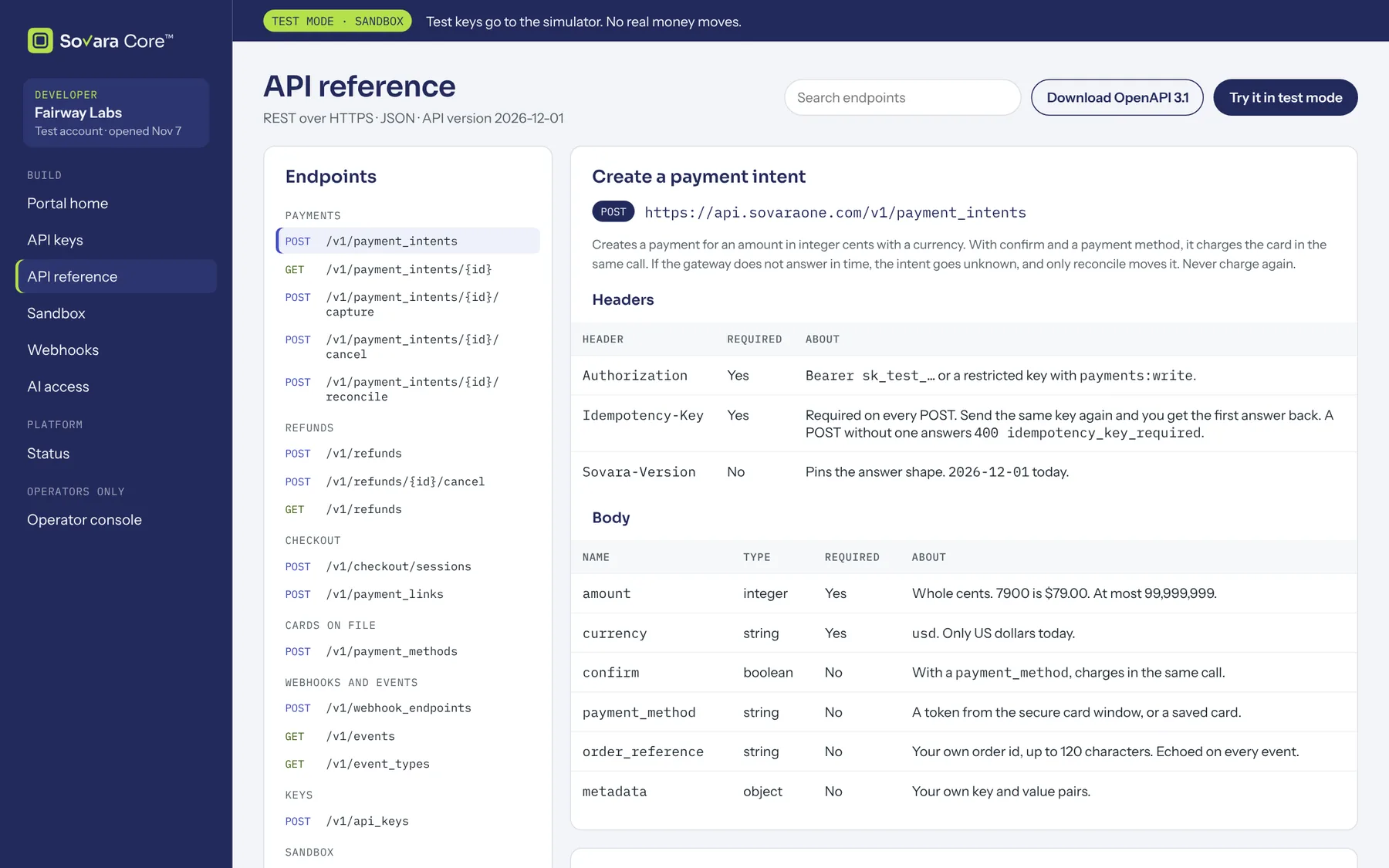
Every endpoint, with examples you can run.
The reference comes from the OpenAPI file, so it matches what the API returns. Copy a request, add a test key and run it.
Example data
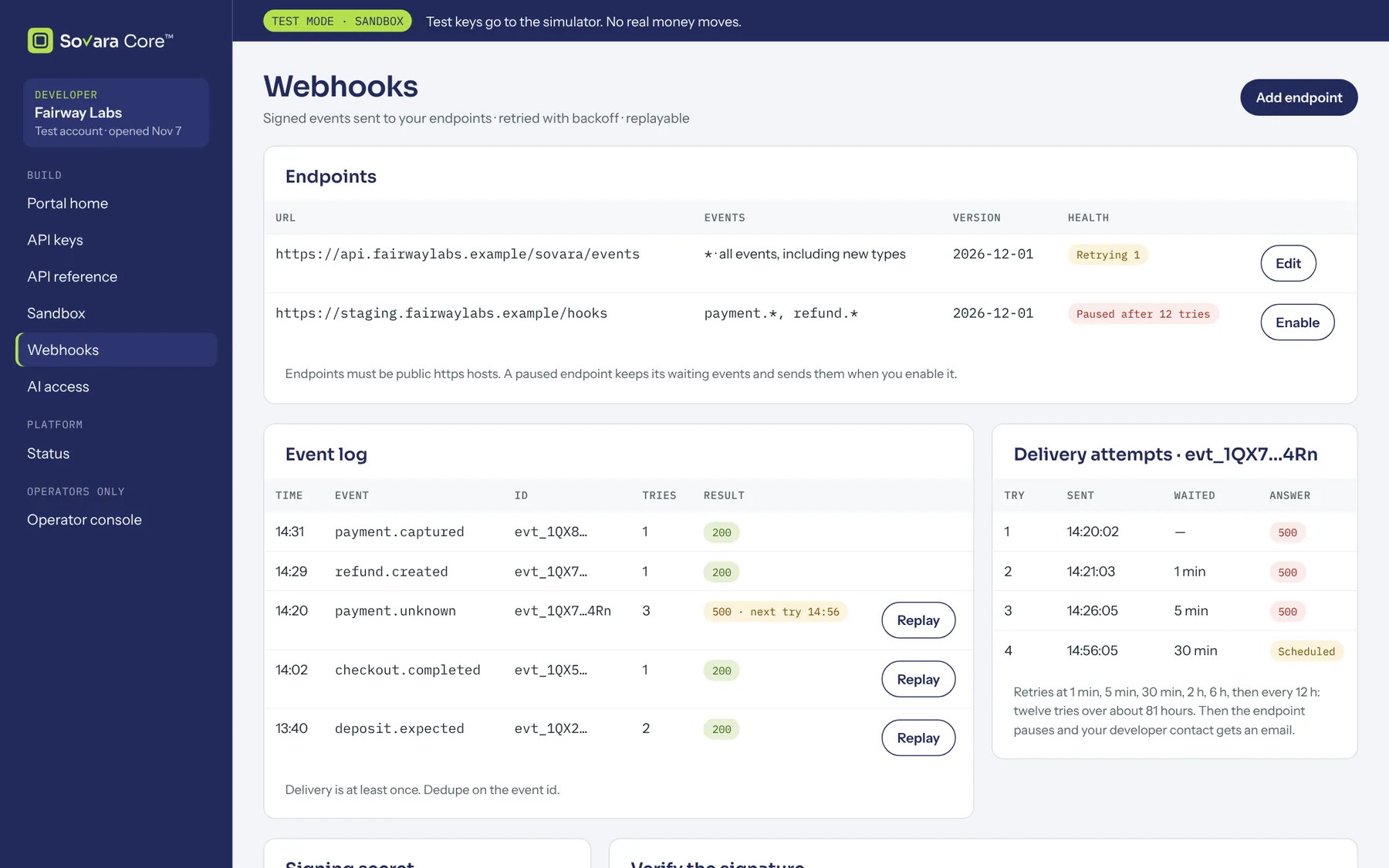
Signed events, retried and replayable.
Every event carries an HMAC signature that you check with your endpoint's secret. Failed deliveries are retried with growing waits, and you can replay any event.
- Check the signature before you trust the body.
- Every event says whether it is live, so test and live never mix.
- See every delivery and replay a failed one.
Example data
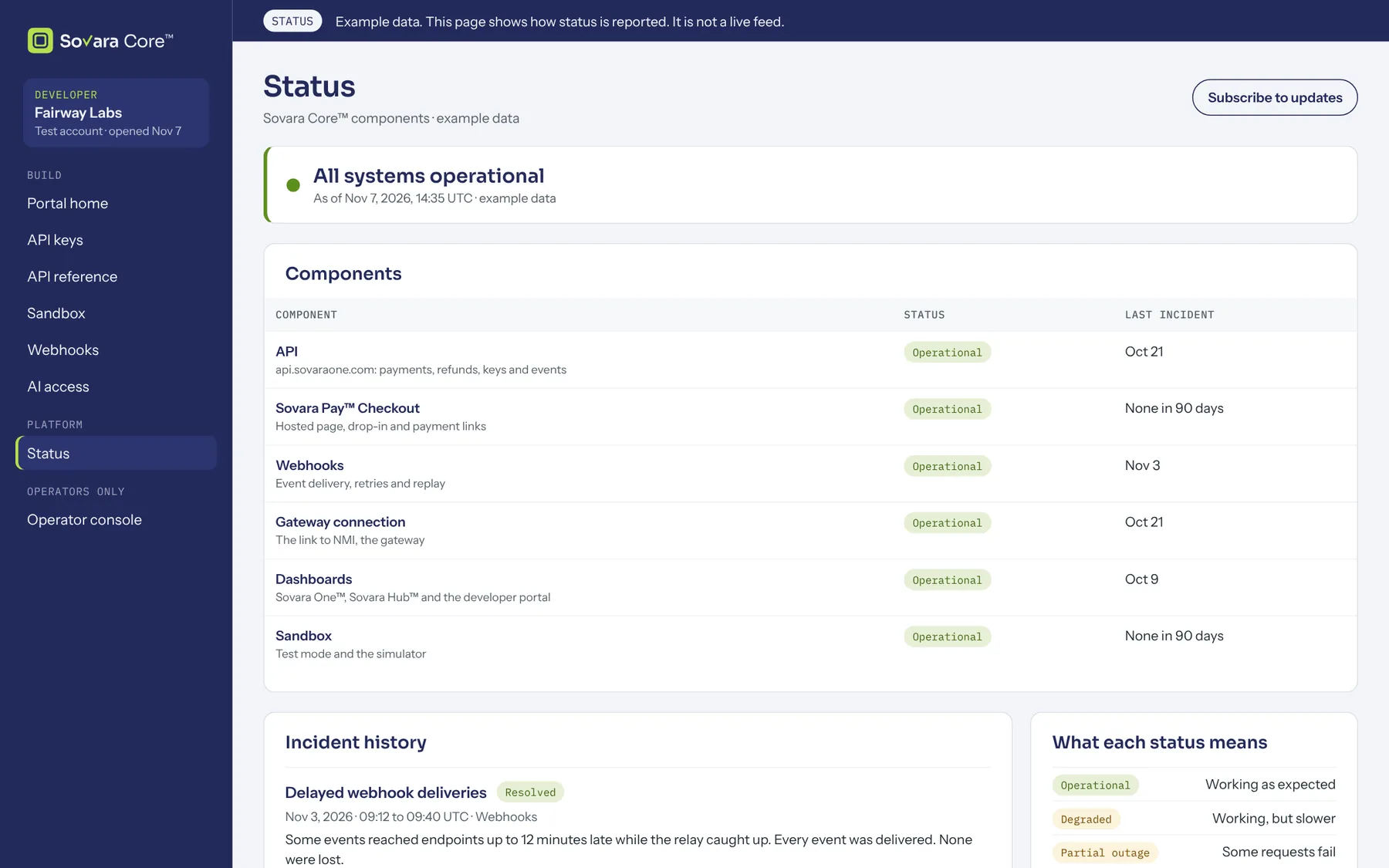
Requests, deliveries and status, in one place.
See each request your keys made, each webhook delivery and the state of each part of the engine.
Example data
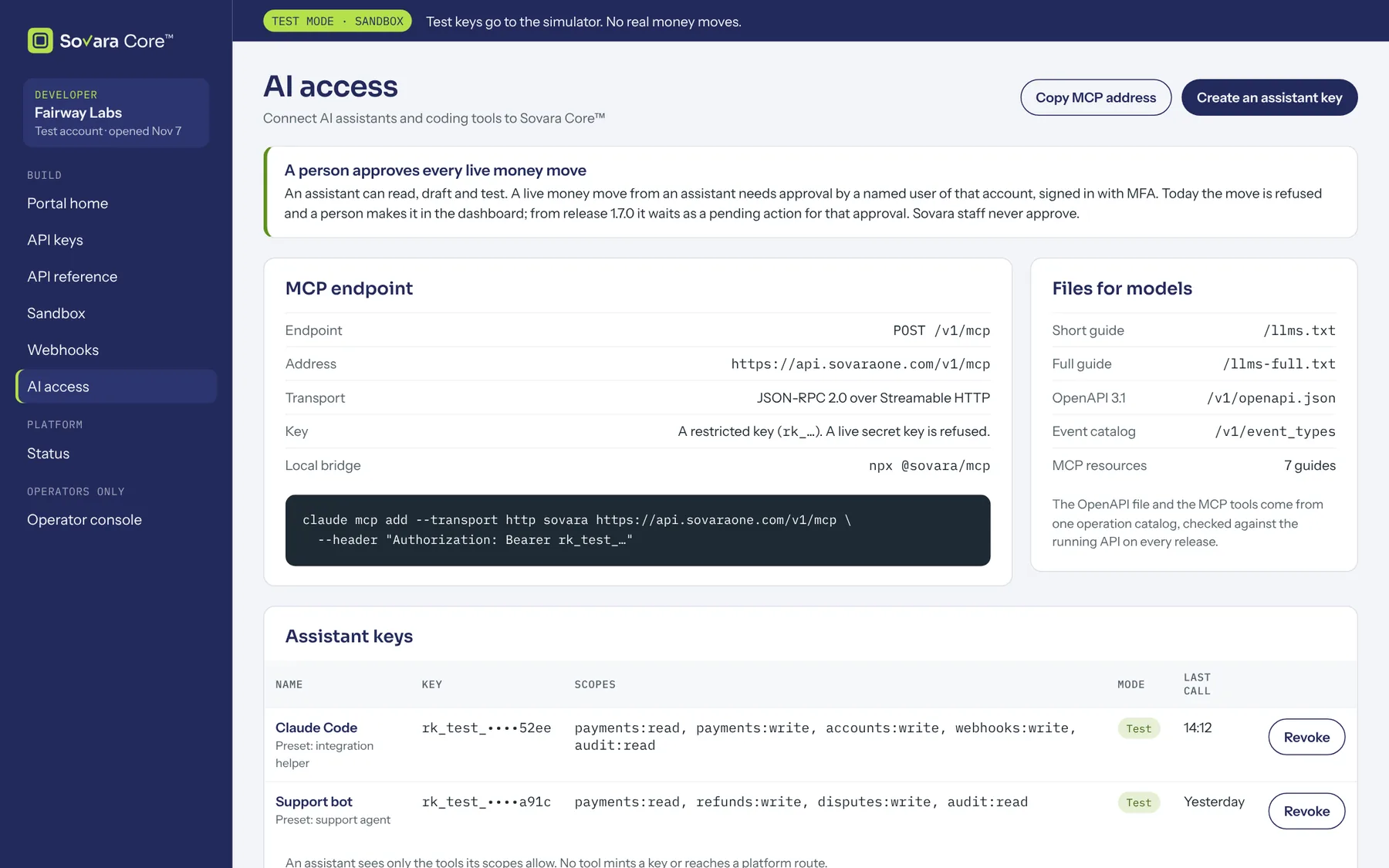
An MCP endpoint, restricted keys and a person in the loop.
Connect an AI assistant to the MCP endpoint with a restricted key. It can read, draft and test. In live mode, an assistant never moves money on its own: a person approves every live money move.
- Scopes per key: read-only, draft, or exactly what you tick.
- An audit log of every action, by a person or by an assistant.
- llms.txt and OpenAPI for tools that read docs.
Example data
Get your test keys.
Request a sandbox and build against the same API that runs live.